
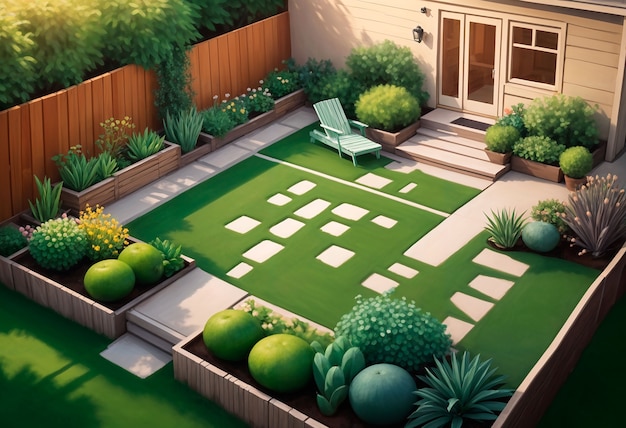
In the realm of outdoor environments and the shaping of natural surroundings, a digital tool has emerged that offers possibilities for creating and visualizing various outdoor concepts. This software presents a unique opportunity for professionals and enthusiasts alike to experiment with different layouts and configurations.
With its user-friendly interface and versatile features, this innovative program caters to the needs of individuals interested in exploring the boundaries of outdoor design. Whether you are a seasoned professional looking to streamline your workflow or a beginner eager to delve into the world of outdoor aesthetics, this tool provides a platform for creativity and experimentation.
By utilizing this software, users can unleash their imagination and bring their outdoor visions to life with ease and precision. From generating intricate topographical models to simulating complex vegetation arrangements, this digital solution offers a comprehensive suite of tools for crafting outdoor spaces of all shapes and sizes.
Overview of 3D Modelling Software

When it comes to creating digital representations of objects and environments, 3D modelling software plays a crucial role. These programs provide users with tools to design, visualize, and simulate three-dimensional objects and spaces.
3D modelling software is used in various industries, including architecture, interior design, engineering, animation, and game development. It allows designers to bring their ideas to life, explore different concepts, and communicate their vision effectively.
These software applications offer a wide range of features, such as drawing tools, modeling capabilities, texture mapping, lighting effects, rendering options, and animation tools. Users can create complex 3D models, manipulate objects, apply textures, and generate realistic renderings of their designs.
- Drawing tools
- Modeling capabilities
- Texture mapping
- Lighting effects
- Rendering options
- Animation tools
Benefits of Utilizing Google SketchUp
When considering the advantages of incorporating a powerful digital design tool for outdoor spaces, it is important to acknowledge the numerous benefits that come with utilizing a cutting-edge software like Google SketchUp. This innovative program offers a wide range of features and functionalities that can greatly enhance the landscape design process.
1. Enhanced Visualization
One of the key benefits of using Google SketchUp is the ability to create highly detailed and realistic 3D visualizations of your landscape designs. This allows designers to accurately portray their ideas to clients, stakeholders, and team members, helping them better understand the overall vision and make informed decisions.
2. Efficient Planning and Execution
Another advantage of Google SketchUp is its intuitive interface and user-friendly tools, which streamline the design process and make it easier to plan and execute landscaping projects. The software enables users to quickly generate accurate measurements, create detailed floor plans, and experiment with different design options, ultimately saving time and improving productivity.
Challenges of Using Software for Designing Outdoor Spaces
When utilizing software tools for creating plans and models of outdoor environments, designers may encounter various obstacles that can impede the design process and limit the accuracy of the final product. These challenges can stem from the limitations of the software itself, the complexity of the design task, or the skills and experience of the user.
Complexity of Terrain
One of the key challenges of using digital design tools for outdoor spaces is accurately replicating the natural terrain and landscape features.complex topography, such as hills, slopes, and uneven surfaces, can be difficult to represent accurately in a virtual environment. Designers may struggle to create realistic and functional landscapes that mimic the complexity of real-world outdoor spaces.
Limited Plant and Material Libraries
Another common challenge when using design software for outdoor spaces is the availability of plant and material libraries. Designers may find that the selection of plants, trees, and materials in the software is limited, forcing them to improvise or make do with less accurate representations. This can impact the overall quality and realism of the design, as well as the ability to accurately estimate costs and materials.
Comparison with Other Design Software
In the realm of landscape design, various software tools exist to aid professionals and enthusiasts in creating stunning outdoor environments. These programs offer a range of features and capabilities that cater to different design preferences and project requirements.
- One popular design software option rivals Google SketchUp for its intuitive interface and robust tools catering to landscape design professionals.
- Another software option focuses on advanced 3D modeling capabilities, allowing for intricate details and lifelike representations of outdoor spaces.
- There is also a design software known for its extensive plant libraries and vegetation options, perfect for creating vibrant and lush greenery in landscape designs.
- Some design software options emphasize collaboration features, facilitating teamwork and communication among project stakeholders and design teams.
- Additionally, certain design software tools prioritize integration with Geographic Information Systems (GIS) for accurate site analysis and spatial data visualization.
Case Studies of Projects in Landscape Architecture
In this section, we will explore various real-life examples of landscape design projects to showcase the versatility and effectiveness of using digital tools in the creative process. These case studies will highlight the successful implementation of innovative techniques and solutions in landscape architecture, demonstrating the impact of thoughtful design on outdoor spaces.
Urban Rooftop Oasis

One notable project involved transforming a barren urban rooftop into a lush oasis, complete with greenery, seating areas, and sustainable features. By utilizing advanced software tools, the design team was able to visualize the final result and make informed decisions on plant selection, layout, and materials. The end result was a vibrant and functional outdoor space that provided a much-needed escape from the hustle and bustle of city life.
Waterfront Park Revitalization
Another compelling case study focused on revitalizing an outdated waterfront park to better serve the community and improve access to the natural surroundings. Through the use of cutting-edge design software, the project team was able to create a dynamic and inclusive space that integrated seamlessly with the existing landscape. The new park now serves as a popular destination for residents and visitors alike, highlighting the importance of thoughtful design in enhancing public spaces.
Tips for Successfully Using 3D Modeling Software
When utilizing digital tools for crafting outdoor space visuals, it is crucial to grasp certain strategies in order to navigate the software skillfully. These tips will facilitate your proficiency in creating picturesque landscapes with the aid of 3D modeling applications.
1. Familiarize Yourself with Basic Functions
Before diving into complex designs, ensure you are well-versed in the fundamental tools and commands of the software. This will streamline your workflow and enable you to execute your ideas effectively.
2. Utilize Sketching and References
Sketch out your concepts on paper or gather reference images to guide your design process. By visualizing your ideas beforehand, you can incorporate more intricate details and achieve a more polished end result.